
Bring everyone together.
Evently sends your invitation cards on WhatsApp and SMS, collects RSVPs with one tap, keeps track of every pledge and checks guests in at the door with a QR code — for weddings, send-offs and conferences.
English and Swahili. Nothing for your guests to install.
Reception · Sat 14 Dec, 4:00 PM, Mlimani City Hall
Will you be attending?
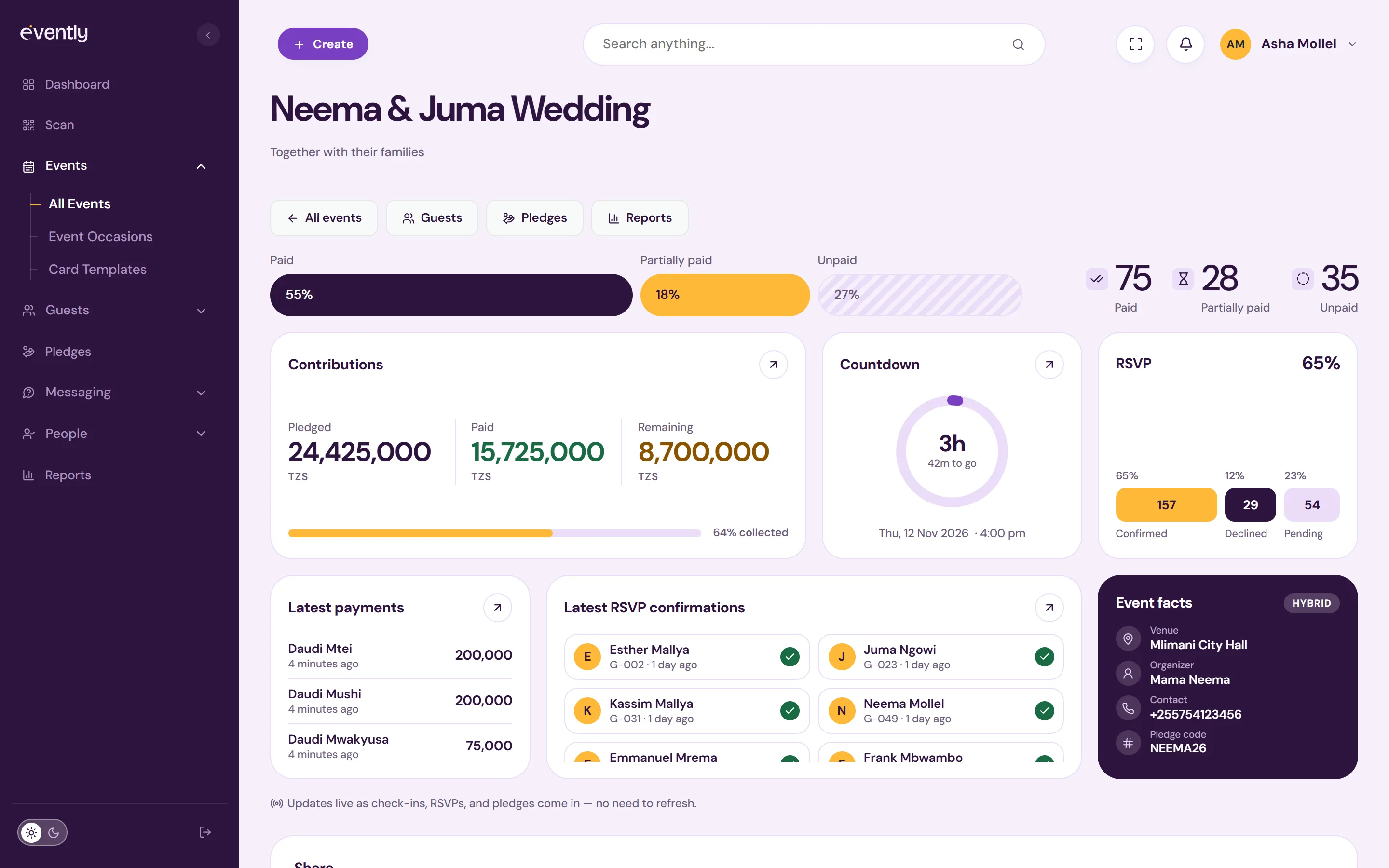
Everything an event needs, in one place.
No spreadsheets passed around on WhatsApp, no paper list at the door, no guessing who paid.
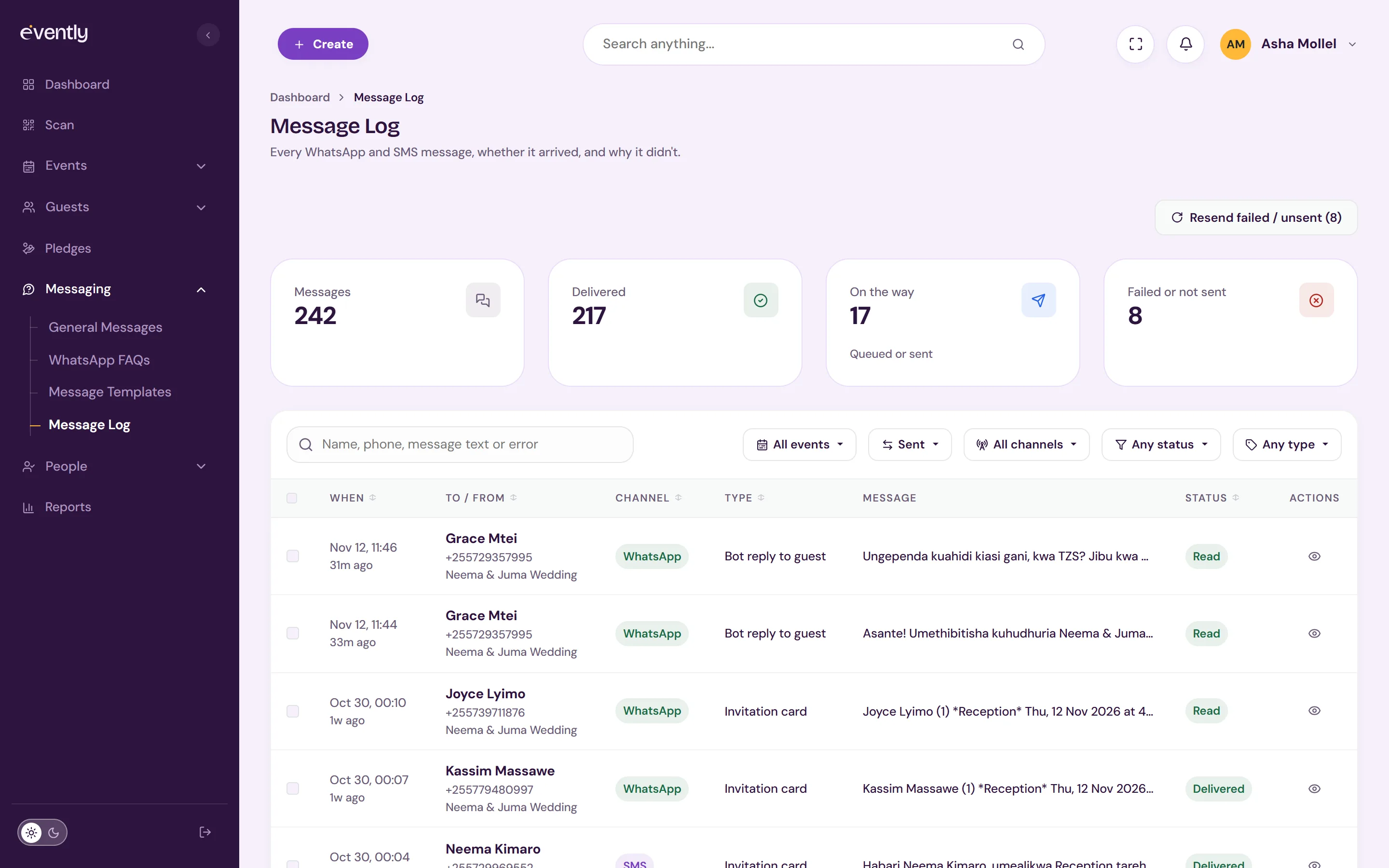
Invitations that reach everyone.
Each guest gets their own card on WhatsApp, with their name, how many it admits and the RSVP buttons underneath. Guests without WhatsApp get an SMS with a link to the same card.
- WhatsApp, SMS, or both: chosen per event
- Delivered, read or failed: see it for every message, with the reason
- Resend failed messages in one click
- Sending is paced to protect your number’s delivery
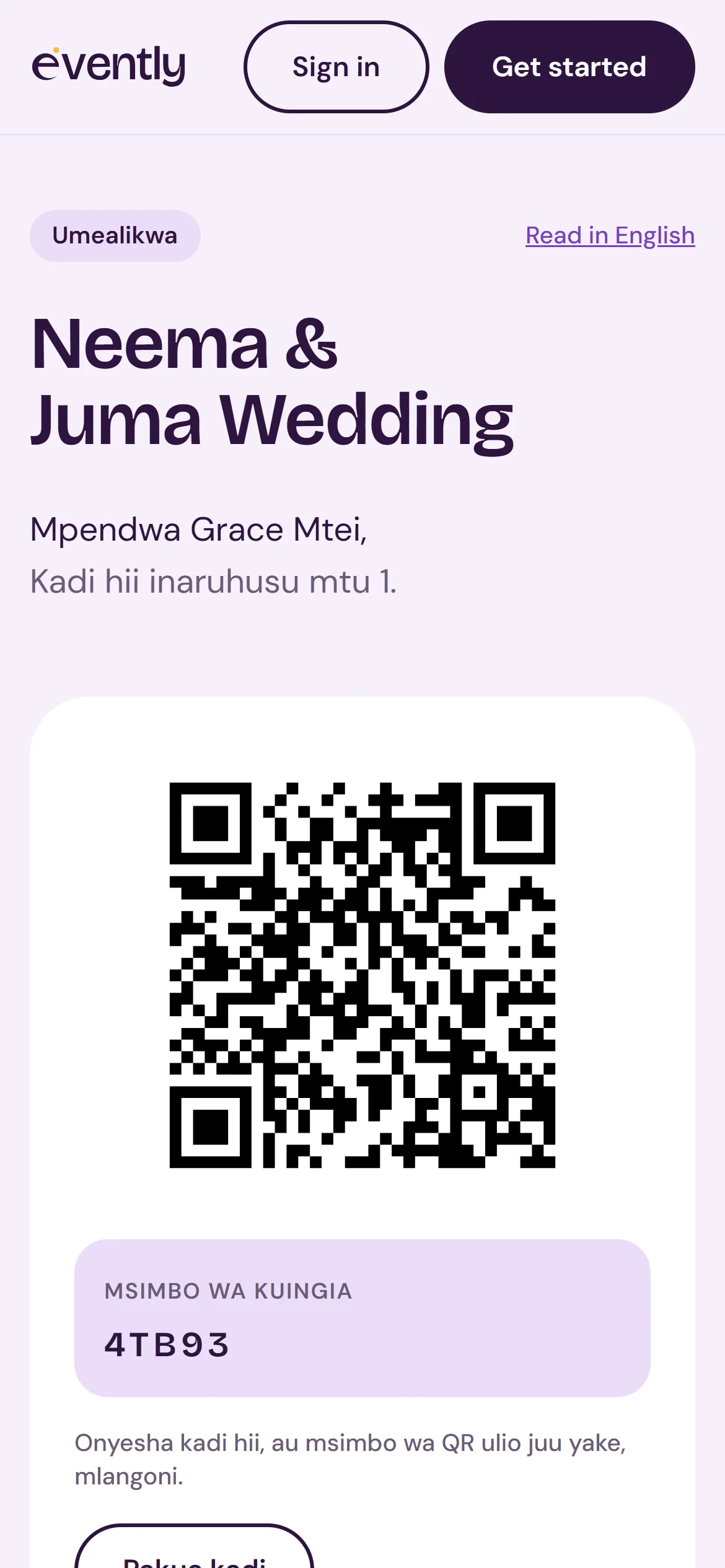
A personal card page for every guest.
The link in each invitation opens that guest’s own page: their card, their QR code for the door, the programme for the day, and Yes / No buttons. In Swahili or English, at a tap.
- Download the card to keep or print
- Answers land in your dashboard instantly
- No login, no app, works on any phone
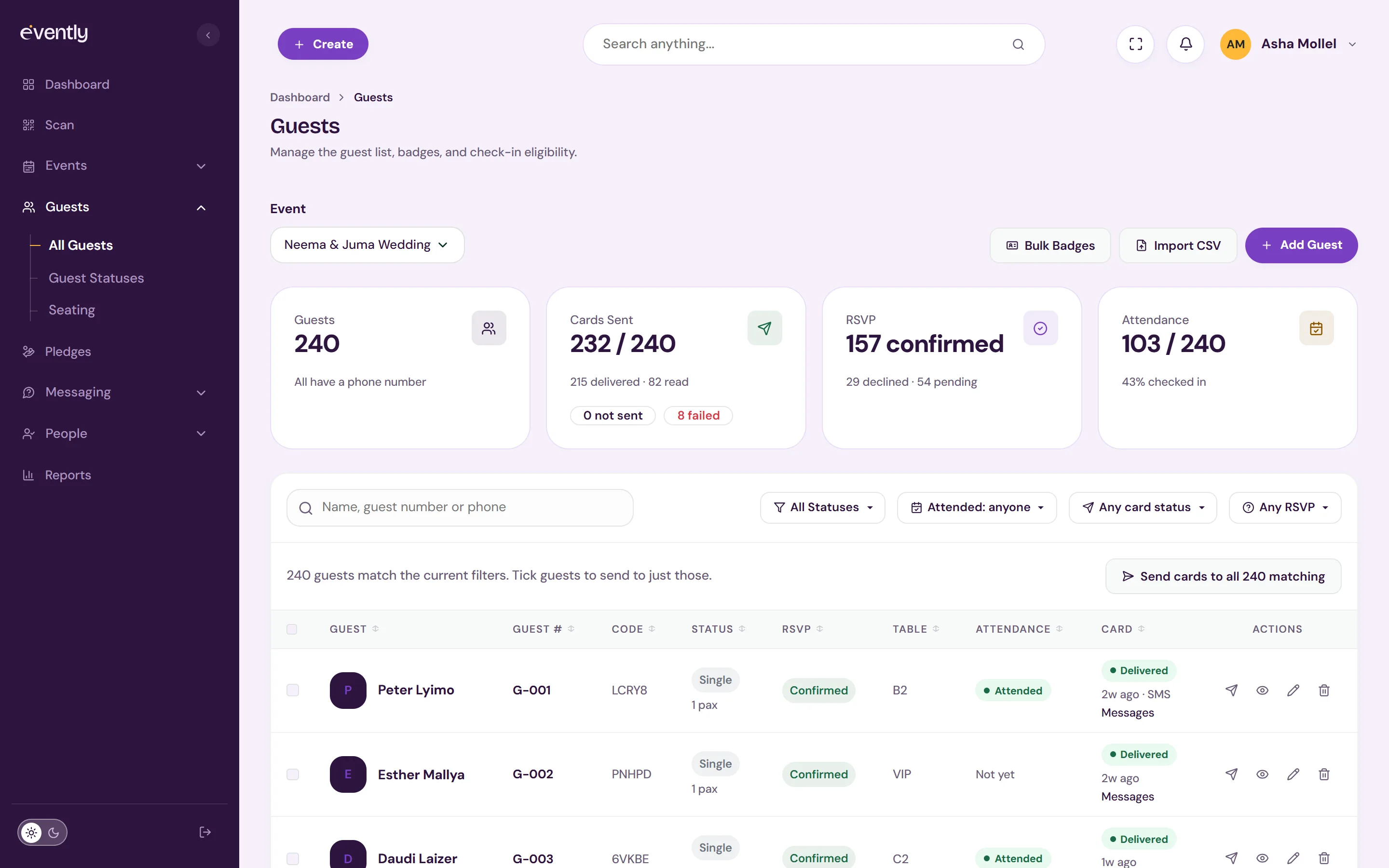
One guest list, always up to date.
Import your Excel or CSV, or add guests one by one — even from WhatsApp. Categories decide how many each card admits; filter by who hasn’t replied or whose card failed, and send to just them.
- Single, double, family: you set what each admits
- Table numbers and seating
- Automatic RSVP reminders on the days you choose (a week and a day before, to start)
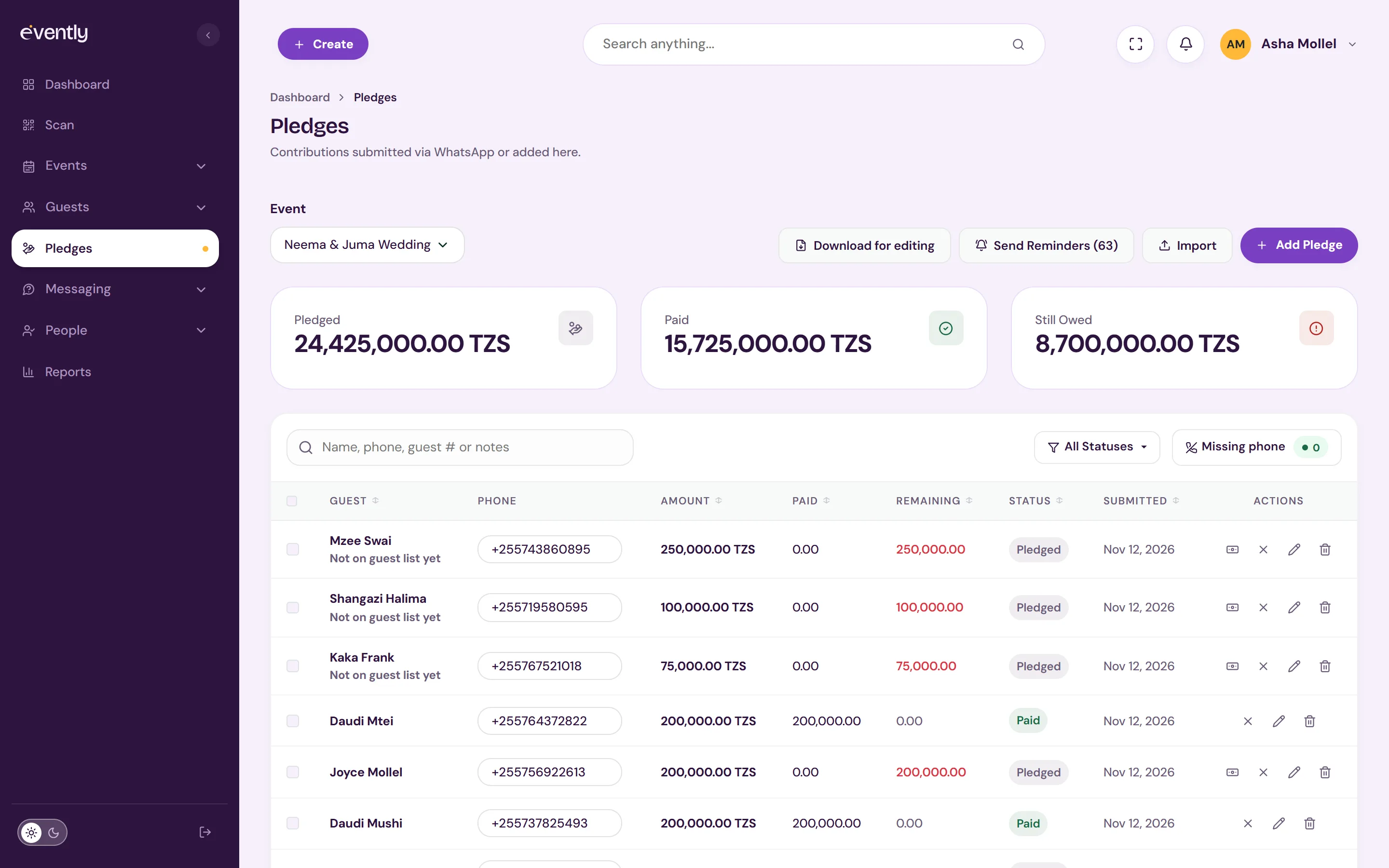
Every pledge, and what’s still owed.
Pledges come in from WhatsApp, from your contact list, or typed in by the committee. Record what’s been paid and Evently shows what’s still owed, reminds the people who owe it, and tells the family each time a new pledge arrives.
- Anyone can pledge by sending your event code on WhatsApp
- Paid, partly paid and unpaid at a glance
- Optional: the card admits more people as contributions are paid
- Money goes straight to you — Evently never holds it
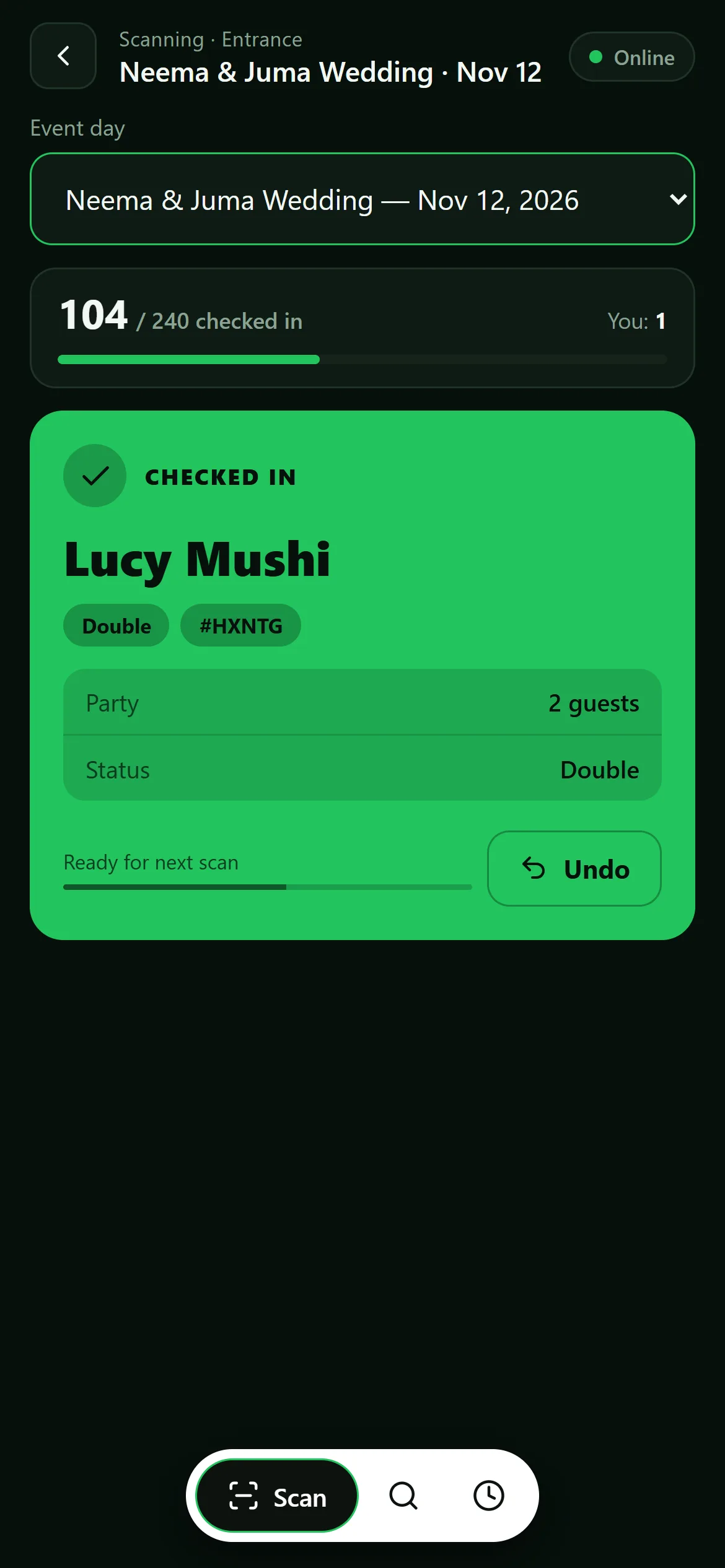
Scan guests in from any phone.
Your door team opens the scanner in their phone’s browser and points it at the card. A green screen says who it is and how many they may bring in.
- Signed QR codes that can’t be faked
- A card used twice is flagged, with who scanned it first and when
- Search by name or entry code when a guest forgot their phone
- Several staff scanning at once, one live count
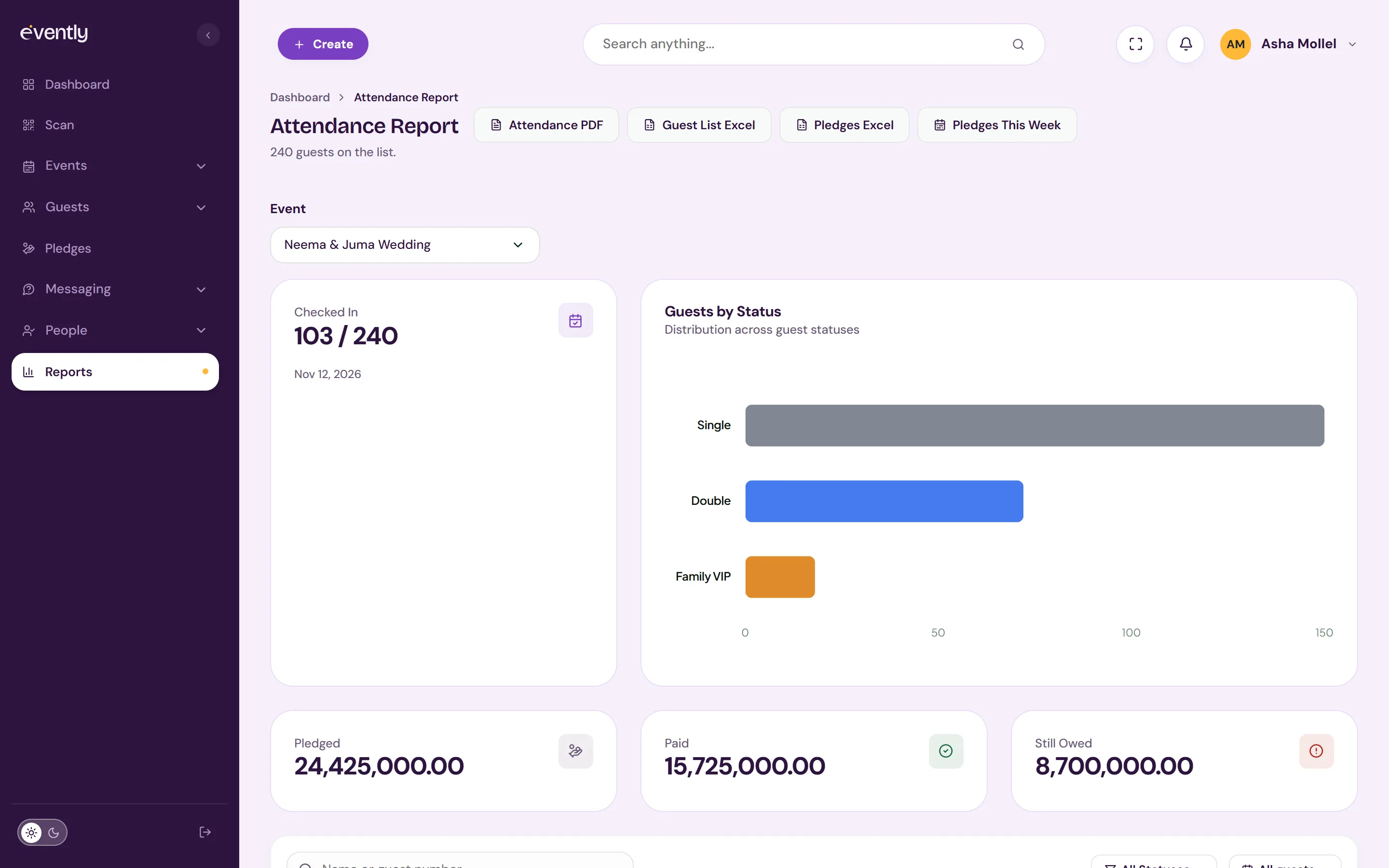
Numbers the committee can trust.
Attendance, guest categories and contributions in one place, updating as it happens. Download the attendance PDF or the guest and pledge lists in Excel — or ask for them on WhatsApp.
- Attendance report as PDF
- Guest list and pledges in Excel, including “pledged this week”
- An evening summary of the day’s check-ins
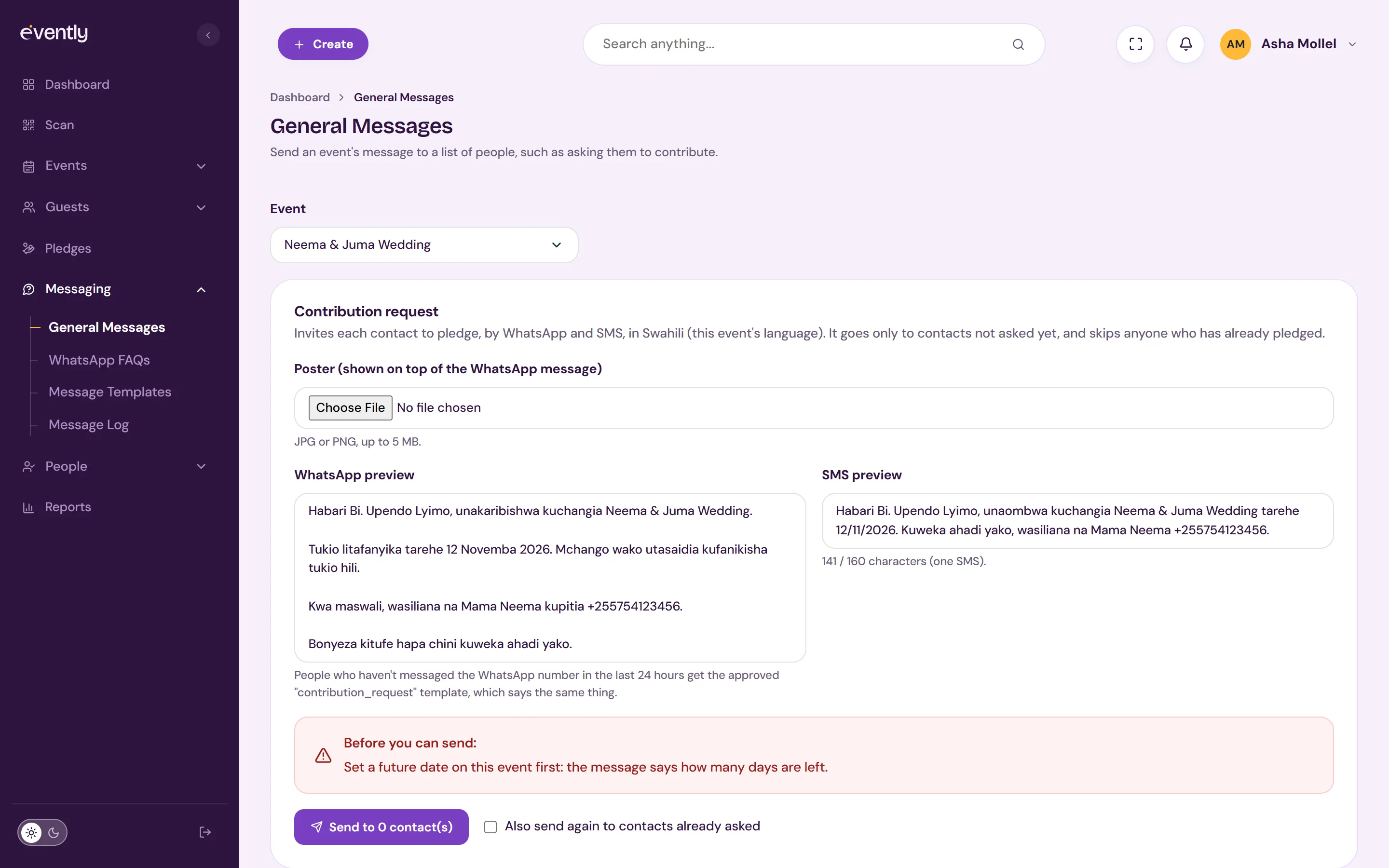
Ask for contributions, beautifully.
Upload your poster and send it to your contact list with a “Make a Pledge” button. A tap starts the pledge on WhatsApp; nobody is asked twice, and people who already pledged are skipped.
- Preview the exact WhatsApp and SMS text before sending
- SMS kept to a single message, so you pay for one
Also included.
A WhatsApp assistant for the committee
Ask for the RSVP count or pledge total, add a guest, record a pledge or get the Excel list — all from WhatsApp.
Answers to common questions
Guests ask about parking or dress code and get your answer straight away, from the guest menu.
New-pledge alerts
The family hears about every new pledge as it comes in, with the running total.
Printed badges
Guest and staff badges with QR codes, ready to print for conferences.
Staff accounts
Give the door team scanner-only access, for one day or all of them.
Your own wording
Edit every message the event sends, in English or Swahili.
How it works
Bring your guest list
Import a spreadsheet or add guests by hand. Each one gets a category that decides how many people their invitation admits.
Send and watch the replies
Cards go out on WhatsApp and SMS in your event’s language. Replies, pledges and reminders all come back to the same place.
Scan them in on the day
Staff scan each code at the door from a phone. You get a live count while it runs and a full report afterwards.
Every event gets a page like this.
A page you can share with guests: when it starts, where it is, how long is left, and — if you choose — how the replies and pledges are going.
Neema & Juma’s wedding
Hosted by the Mushi family
Today This event is under way.
The day, in order
- 2:00 pm Ceremony Azania Front Cathedral
- 4:00 pm Reception Mlimani City Hall
This is what your guests would see.
Switch the page on for your own event and the numbers here become yours, updating as invitations go out and pledges come in.
Sign in to startSimple pricing, per event.
Pay once for the event, by the number of guests. WhatsApp messaging is included; SMS is pay-as-you-go. No subscription.
Self-managed
Minimum TZS 75,000 (100 guests)
You build the list and send everything from your own dashboard. We keep the system running.
- WhatsApp invitation card with Yes / No buttons
- Up to 2 RSVP reminders per guest
- Personal card page and QR code for every guest
- Pledge tracking and a WhatsApp pledge code
- Door scanner for your own team
- Live overview, PDF and Excel reports
Hybrid
Minimum TZS 150,000
You keep the guest list and the pledges. We design the card, send everything and chase the replies.
- Everything in Self-managed
- Card designed for you, from your photo or theme
- We import your list and send the invitations
- Pledge reminders sent for you
- One contribution request to your contacts
- Support on WhatsApp until the day
Fully managed
Door team from TZS 150,000 per event day
Hand over the list and the details. We set up, send, follow up and staff the entrance on the day.
- Everything in Hybrid
- Our team scans guests in at the door
- Printed badges for conferences
- Daily pledge and RSVP updates for the committee
- Final attendance and contributions report
Example: a 300-guest wedding on Hybrid is TZS 360,000. If 50 of those guests aren’t on WhatsApp and get their invitation and two reminders by SMS, add TZS 5,250.
Questions
Do my guests need to install anything?
No. Invitations arrive on WhatsApp or SMS. Guests on SMS get a link to their own card page, which opens in any phone browser.
What about guests who don’t use WhatsApp?
Send the event by SMS, or by both. Each SMS fits in one message and links to the guest’s card, QR code and RSVP buttons.
Can someone pledge without being on the guest list?
Yes. Every event has a short code. Anyone who sends it to our WhatsApp number is walked through pledging, and it appears on your pledges page straight away.
Do you collect the money?
No. Contributions go directly to the family or committee by mobile money or bank. You record payments in Evently, which keeps the totals and reminds people what they still owe.
Can someone copy or share a card to get in?
Each QR code is signed and belongs to one guest. If the same card is scanned twice, the scanner says so and shows who scanned it first, and when.
How early should we send invitations?
At least a week before. WhatsApp limits how many new conversations a number can start each day, so large lists go out in batches over a day or two; that is what keeps them from being marked as spam.
Can it be in Swahili?
Yes. Pick the event’s language when you set it up. Guests can switch at any time by replying KISWAHILI or ENGLISH.
Who can see my event page?
Nobody, until you switch it on. Guest counts and pledge totals are two further switches of their own, both off to begin with.
Your next event starts here.
Tell us the date and how many guests, and we’ll have your first invitations ready to send.